

iPhone
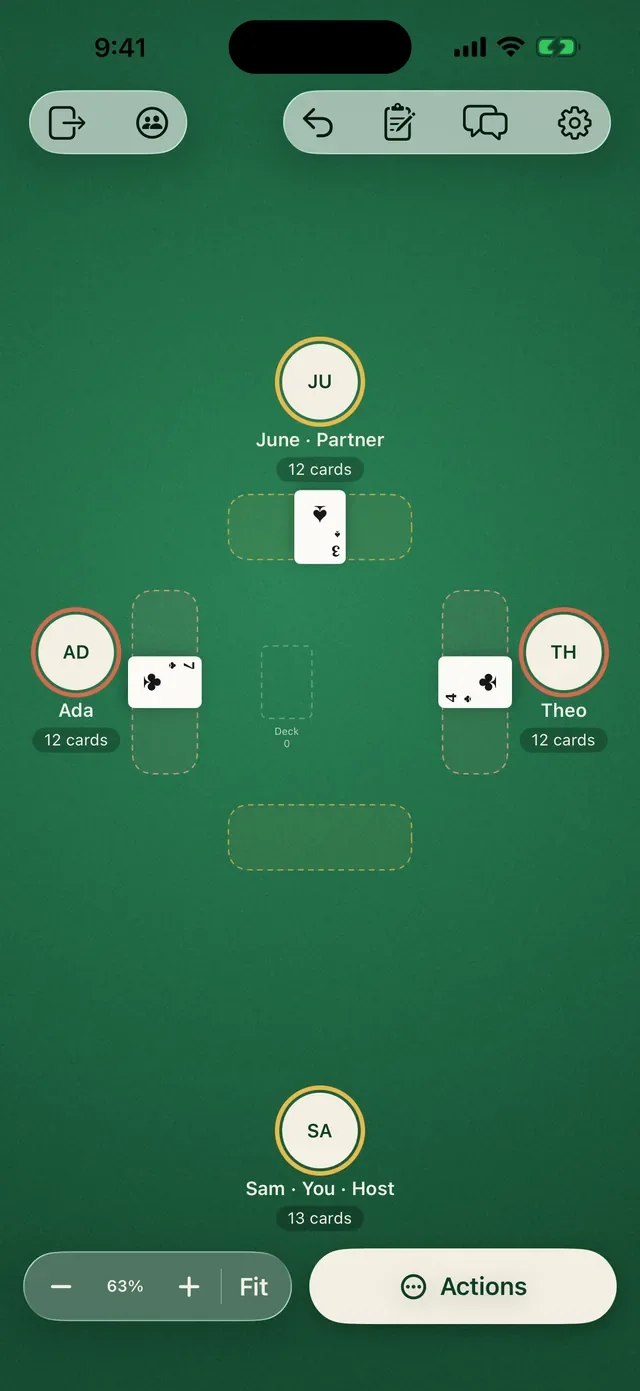
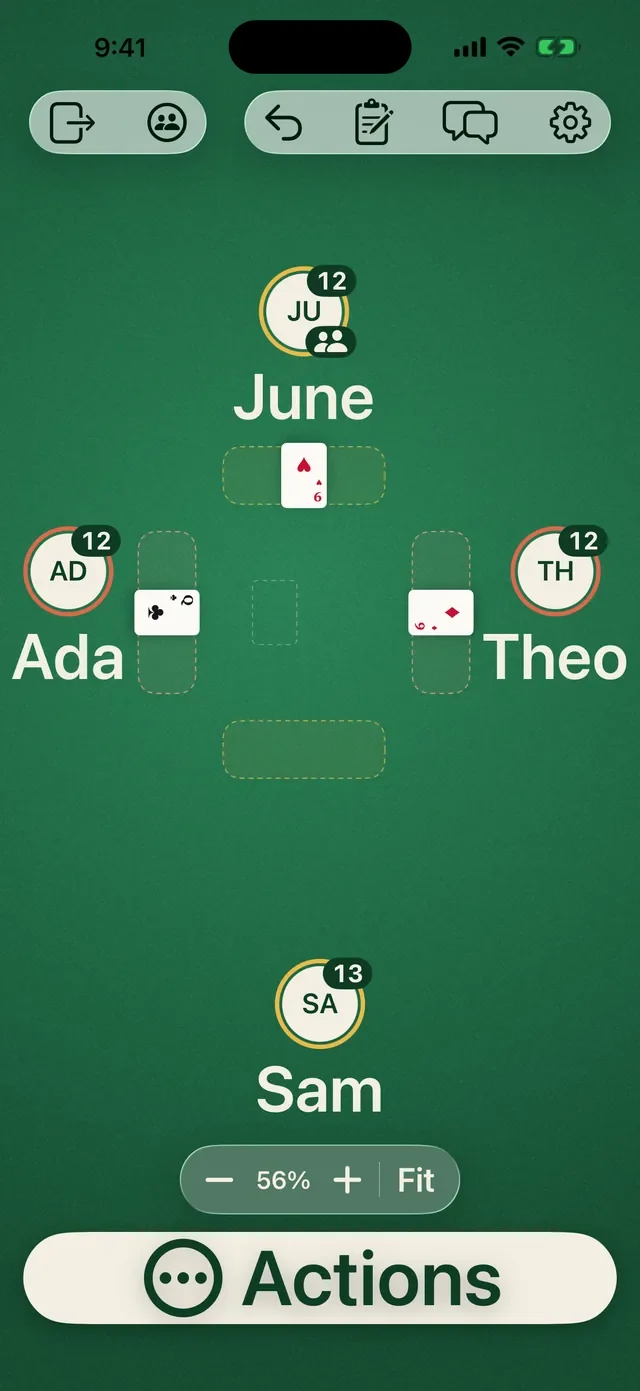
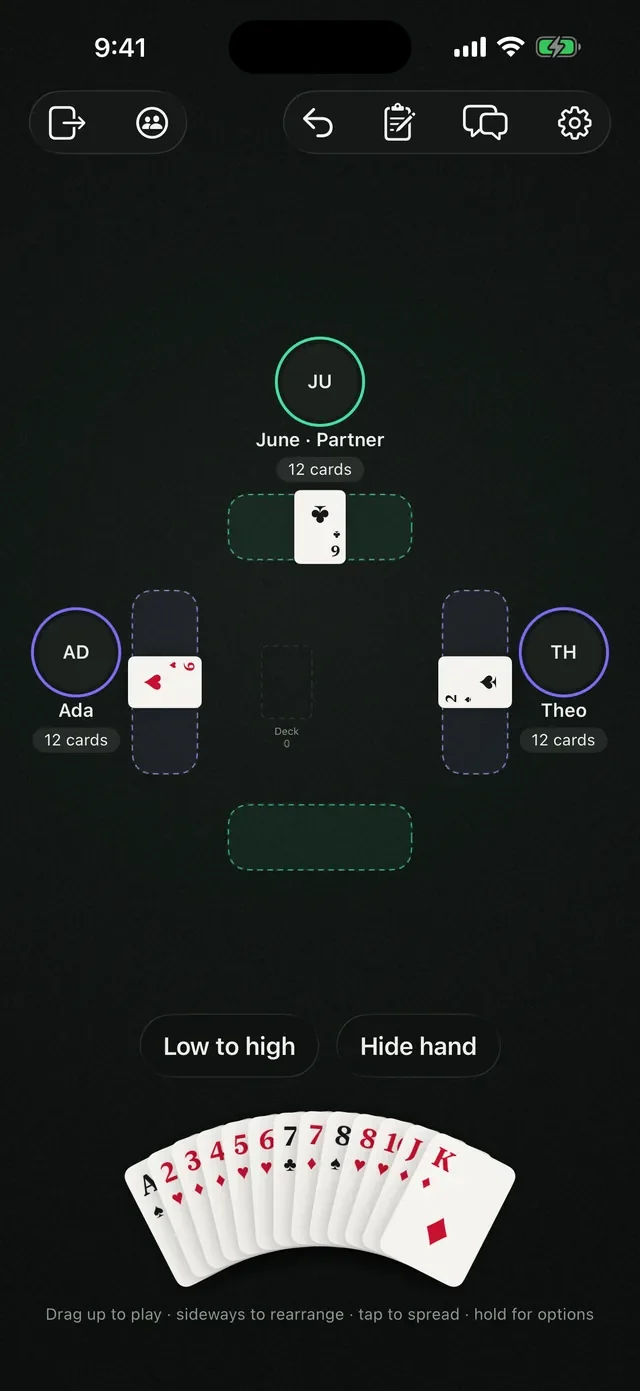
Hold your hand, drag cards on a felt that fills the screen. iOS 26 and later.
pull up a chair
Move, flip, stack, deal and pass cards however your game needs, exactly like a real table. Up to four players on iPhone, iPad, Mac and Apple Vision Pro. Free to play.
Public beta now open on TestFlight; coming soon to the App Store as “CardTable FreePlay”. Requires iOS 26, iPadOS 26, macOS 26 or visionOS 26.
built like a real table
Tap your seat to pick up your hand. It fans at the bottom of the screen. Tap it to spread the cards into one row that fits, and tap again to fan them back.
No rules engine getting in your way. Just great cards, great company and the tools to run a game your way.

Drag up to play, sideways to rearrange, hold for options. Put a card in front of you, in the middle, or straight onto another player to give it to them.
Every drag has another way: a “Move card” sheet does the same thing without dragging.

Pick how many cards each player gets, set aside a kitty, shuffle first, and choose who to deal to. Gather everything back into the deck when the hand is done.
Prefer the rules? Built-in games deal for you.

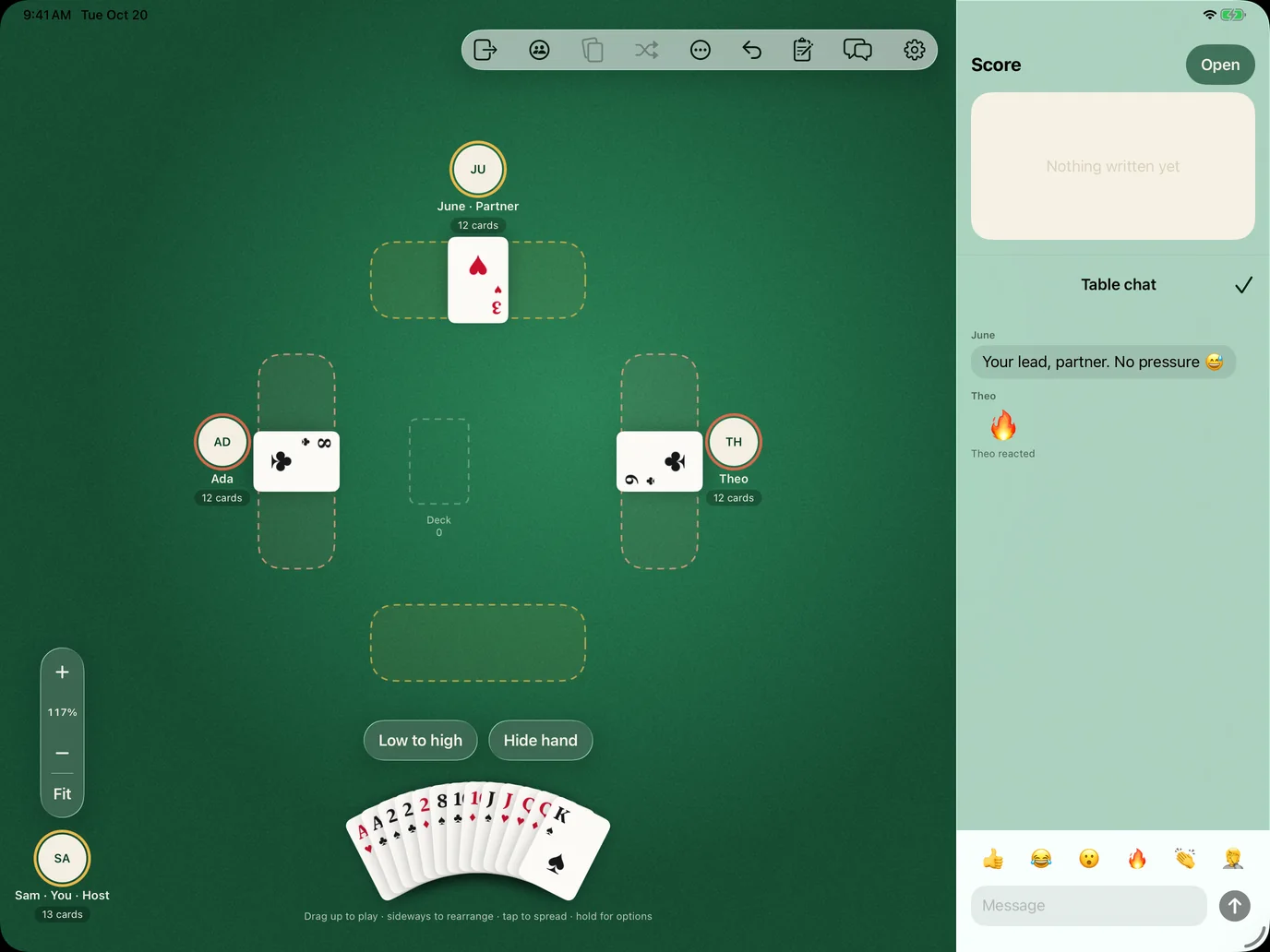
A shared scoreboard you write on with Apple Pencil, or your finger. Tally marks, totals, a nickname for the champion. Everyone at the table sees it as you write.

Table chat with quick reactions for the groan, the cheer and the “whoa”. Voice sits right beside it, so you can talk across the table like you are at one.

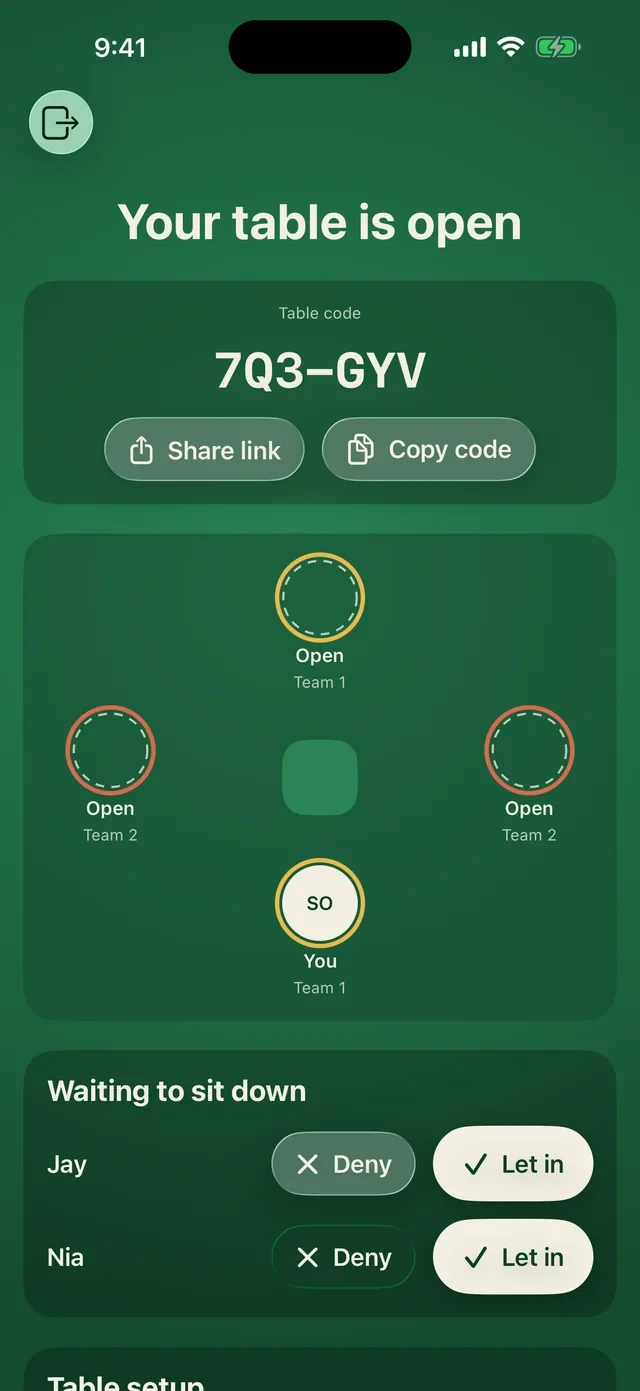
Pick a deck, choose teams and decide who can do what. You get a short code to share, like K7Q-42M. Friends type it in, you let them sit down, and the game starts.
Up to four players, on any mix of iPhone, iPad, Mac and Apple Vision Pro. Game Center handles who they are, so there is nothing new to sign up for.
one app, every screen
One multiplatform app that adapts to the room it has. On a wide screen the table gets a sidebar for the scoreboard and chat, and your hand stays fanned at the bottom.
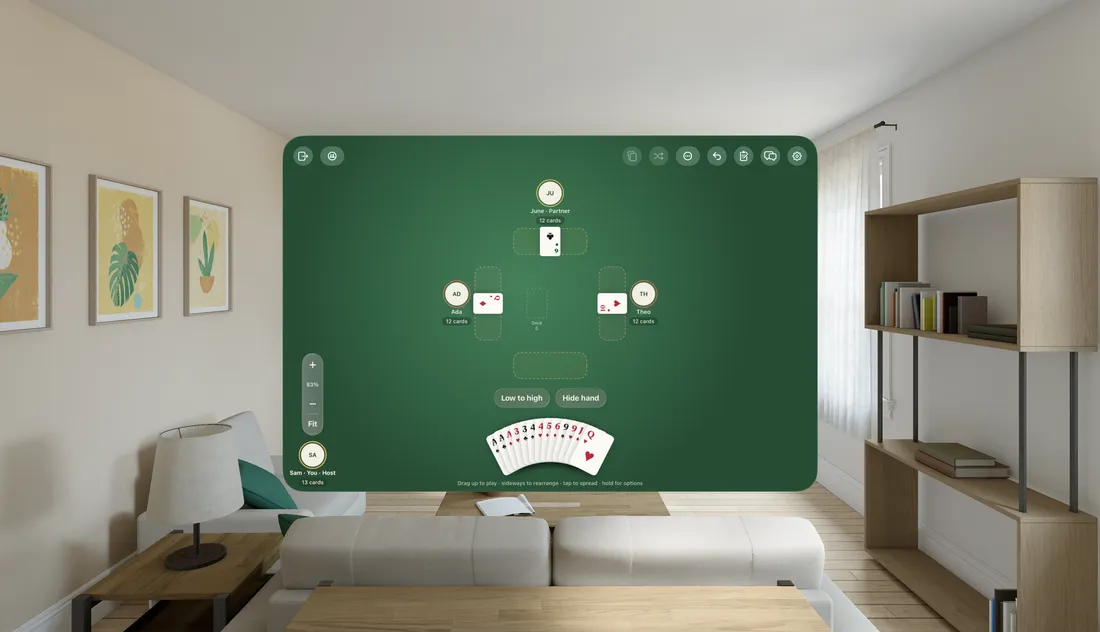
Hold your hand, drag cards on a felt that fills the screen. iOS 26 and later.
A big shared table, Apple Pencil on the scoreboard, and multiple windows.
A native Mac app, not a port. Keyboard, trackpad and menus where you expect them.
Book layout across the fold, or tabletop with the hand below and the felt above.
made for iPhone Duo
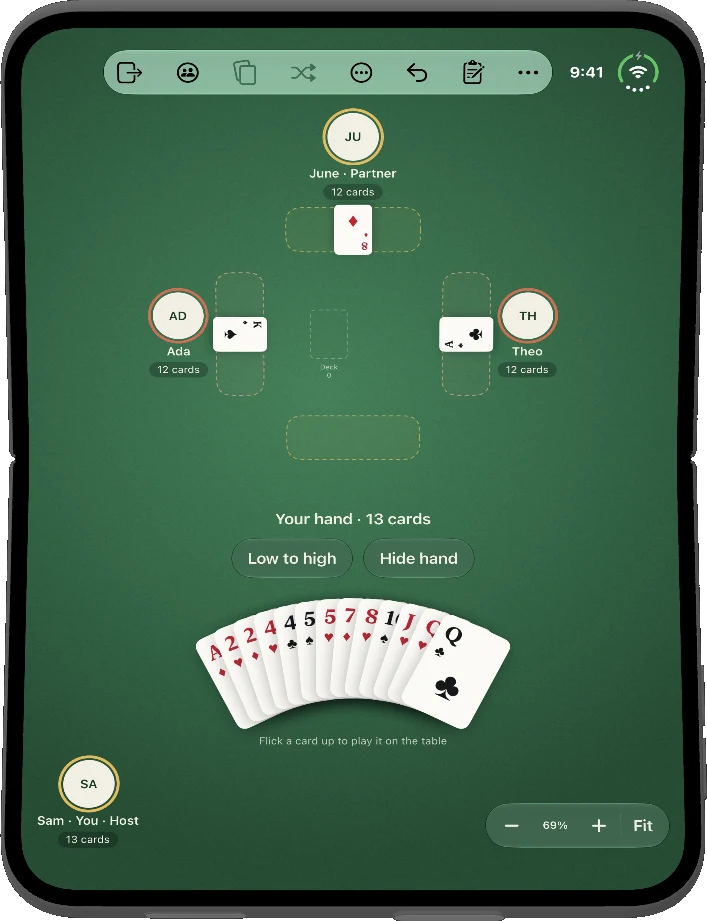
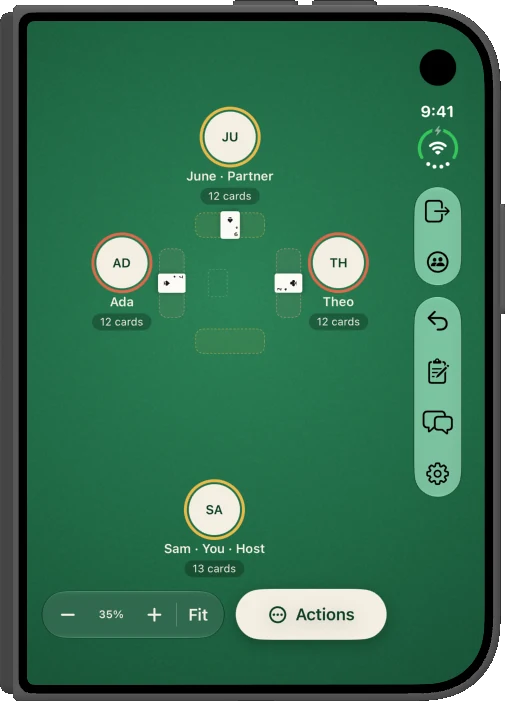
On iPhone Duo the table follows the hinge. Open it like a book, stand it up like a tiny card table, or close it and play on the cover screen.

The table on the left, the score and chat on the right. The felt runs under the fold, but no card or control ever sits on it.
Stand it on the table: the felt up top where everyone can see it, your hand on the bottom half, right under your thumbs.
Closed, it’s a full table in one hand, with the system toolbar down the side where your thumb rests.
when you want the rules
Turn on “play by the rules” and the app deals, runs turns and keeps score. Turn it off any time and go back to the open table. Short on players? Play the computer.
for every player
A card table should welcome everyone who wants to sit down. Large text and dark mode are just the start.
talk across the table
With headphones, Spatial Audio places each friend where they sit. Ada on your left sounds like she’s on your left. June across the table sounds like she’s across the table. Close your eyes and you can tell who’s talking.

Each voice comes from the direction of that player’s seat, and moves if you swap seats.
Turn down the loud cousin, turn up grandma. Only you hear the change.
A soft ring lights up around whoever is talking, so it’s visible as well as audible.
and the rest of the table
Move, flip, stack, deal and pass cards however your game needs, exactly like a real table. Mistakes are on the players.
Sign in with the Game Center you already have. There is nothing new to create or remember.
A rotation meter, groups and spreads, and hold-and-drag piles so big stacks move in one motion.
Locks, turn order, house rules and presets. The host sets the table; the table plays.
If the host drops, a backup host keeps the game going. Nobody has to start over.
Lost signal or switched apps? Rejoin your seat and carry on where you left off.
privacy first
Each device only receives the cards its seat is allowed to see. There is no server holding your game, no analytics and no ads.
three steps
Pick a deck, choose teams and decide who can do what. You get a short code to share.
K7Q-42MUp to four players type the code on iPhone, iPad or Mac. Game Center handles who they are.
Deal, flip, stack and pass like a real table, or switch on the rules for a built-in game.
good questions
Yes. CardTable FreePlay is free to download and play. There are no ads and no tracking.
No new account. You sign in with Game Center, which every Apple device already has.
Up to four friends at one table, on any mix of iPhone, iPad and Mac. You can also play against the computer.
By default, no. It is an open table, like a real one: players decide. For Spades, Bid Whist, Hearts and Tonk you can switch on “play by the rules” and the app deals, runs turns and keeps score.
No. Hidden cards are never sent to a device that is not allowed to see them, so there is nothing to peek at.
A backup host takes over so the game goes on, and anyone who drops can rejoin their seat.
No. Tables run over Game Center, so friends can join from anywhere. Voice chat is built in.
iPhone with iOS 26 or later, iPad with iPadOS 26 or later, Mac with macOS 26 or later, and Apple Vision Pro with visionOS 26 or later, including iPhone Duo layouts.
More help in Support.


